RenameClick
Share
RenameClick
Automatically organize and rename files based on content using local AI. Batch classify documents and images offline to ensure your privacy.
General Information about RenameClick
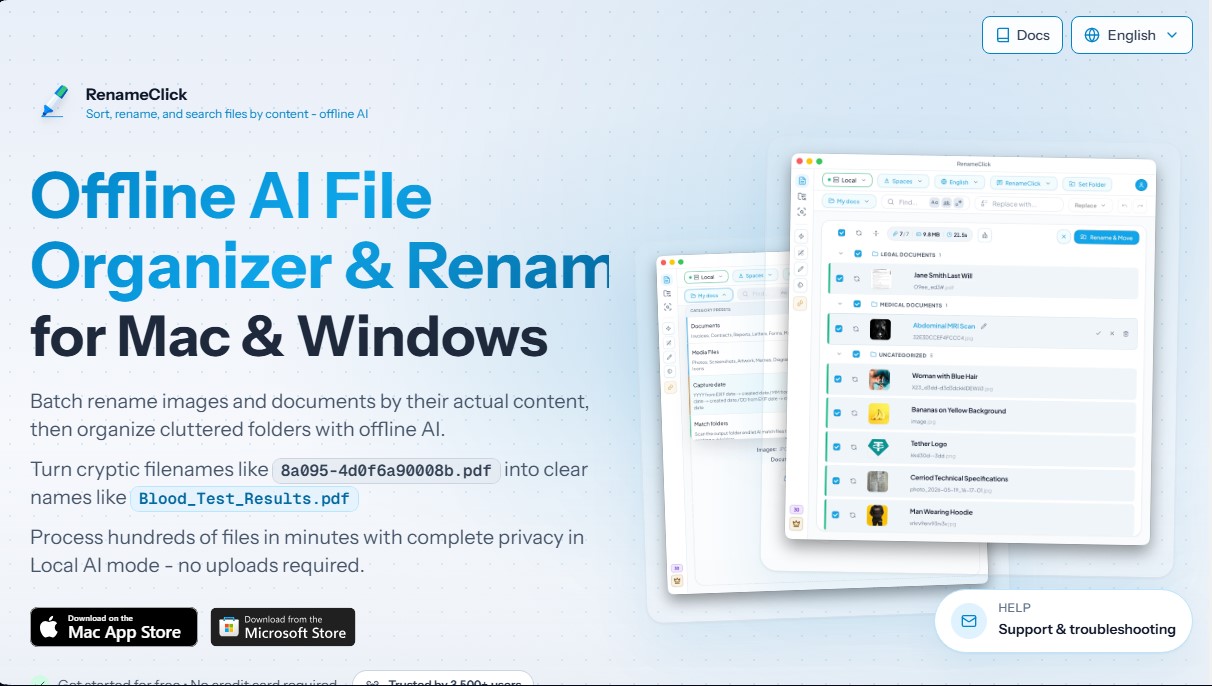
RenameClick is an advanced desktop application for macOS and Windows specializing in local AI-powered file management. Its primary purpose is to automate the process of renaming, organizing, and searching for documents and images by analyzing their actual content, eliminating the reliance on generic or cryptic filenames. This tool is highly useful for users managing heavy workflows, such as photographers, administrative managers, or content creators, who require a private and intelligent file organizer.
RenameClick operates on an offline-first approach, using a built-in AI model of approximately 4 GB that processes information directly on your computer. By not requiring files to be uploaded to external servers, it ensures maximum privacy and security for sensitive data. For power users, the application offers technological flexibility by allowing connections to local models via Ollama or LM Studio, as well as the option to use third-party APIs like OpenAI, Alibaba Cloud, or Google Gemini if cloud processing is preferred.
Key features include:
- Batch file renaming: The AI analyzes the content of images and documents to automatically suggest descriptive and consistent names, transforming alphanumeric codes into readable titles.
- Automatic classification: Organizes cluttered folders by moving files into subdirectories based on logical categories or EXIF metadata (such as location, date, camera model, or lens).
- Semantic content search: Allows you to find files using descriptions of their meaning, making it easy to locate specific invoices, contracts, or photos without needing an exact filename match.
- Auto Flow: An automation feature that monitors selected folders (such as "Downloads" or "Scans") to process and organize new files in real time according to predefined rules.
- Custom instructions: Supports the use of specific prompts to extract particular data from documents, such as an invoice number, a vendor name, or a specific date.
The tool is compatible with a wide variety of formats, including images (JPG, PNG, HEIC, WEBP, TIFF, SVG) and documents (PDF, DOCX, TXT, CSV, MD, RTF). For smooth local processing performance, hardware with 16 GB of RAM and a dedicated GPU with 4 GB of VRAM is recommended. RenameClick supports name generation in multiple languages, including Spanish, and integrates into your daily workflow through context menus and undo/redo functions to maintain full control over your file system.
Features and Use Cases of RenameClick
How RenameClick Works
Frequently Asked Questions about RenameClick
What is RenameClick and what is it used for?
It is a macOS and Windows application that allows you to rename, organize, and search for files based on their actual content using local artificial intelligence.
Is it safe to use RenameClick with my private documents?
Yes, the tool works locally and offline, so your files are never uploaded to the cloud and never leave your computer.
What file types can RenameClick process?
The application is compatible with image formats such as JPG, PNG, and HEIC, as well as text documents like PDF, DOCX, TXT, and CSV.
Can I use RenameClick for free?
Yes, the software allows for unlimited file processing and offers thirty free monthly credits to apply final name or location changes.
Do I need a dedicated graphics card to use the tool?
While a GPU with 4GB of VRAM is recommended for maximum speed, the program can also run using your system’s RAM.
Does RenameClick allow me to organize files into folders without renaming them?
Yes, you can use the categorization feature to move your files into different folders while keeping their original names.
Can organization tasks be automated with RenameClick?
Yes, the Auto Flow feature allows you to monitor specific folders to automatically rename and classify any new files added to them.
What happens if the AI model doesn't recognize my files correctly?
You can use custom instructions or connect external providers like OpenAI or Google Gemini to improve accuracy for specialized workflows.
RenameClick Pricing
Free
0 $
Unlimited file processing.
Free AI-powered content search.
30-credit monthly limit for applying changes (renaming or moving files).
No credit card required.
Pro Monthly
8 $ + VAT per month
Unlimited files.
Access to all AI features.
No limits on applying file changes.
Cancel anytime.
Pro Lifetime
48 $ + VAT (one-time payment)
Unlimited files forever.
Access to all AI features.
Lifetime updates included.
Guaranteed access to all future features.
RenameClick Screenshots