
Share
AI video editor that processes everything locally and privately. Edit via chat, add captions, and reframe for social media without uploading files to the cloud.
What is Supercut?
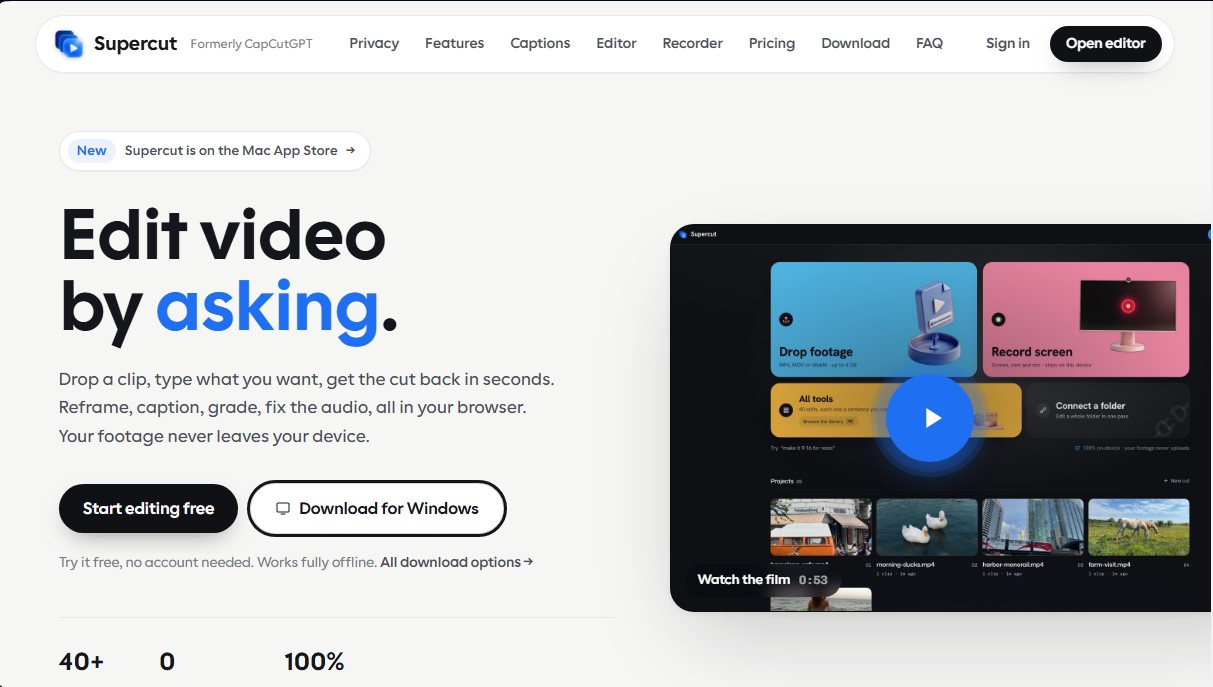
Supercut is an AI-powered video editing tool that stands out for processing all content locally on the user's computer. Formerly known as CapCutGPT, this application allows users to edit files via text commands without needing to upload footage to external servers, ensuring absolute privacy. It is powered by WebAssembly technology, which enables both the browser and the desktop app to perform complex rendering and exporting tasks without files ever leaving the device, even working offline.
The workflow in Supercut is straightforward and functional: the user drags in a clip, describes the desired edit in a chat box, and receives the processed result in seconds. This conversational interface eliminates the need to navigate complex menus, allowing for adjustments like reframing videos for social media, adding captions, or color correction simply by asking. It is an optimized solution for content creators on platforms like TikTok, Reels, YouTube Shorts, or X, and is especially useful for professionals handling sensitive material that, for legal or security reasons, cannot be hosted in the cloud.
Key capabilities and practical benefits include:
- Local Auto-Captions: Uses the Whisper model to generate transcriptions in 19 languages with word-level precision. Because it runs locally, both audio and text remain private.
- Smart Reframing with Face Tracking: Automatically adjusts the aspect ratio of clips, keeping the subject centered at all times using face detection.
- Audio Cleanup and Color Grading: Allows for background noise removal, voice enhancement, and the application of cinematic styles or VHS filters through natural language instructions.
- Transcript-Based Editing: In its Studio mode, it allows for precise video cuts by directly deleting words or phrases from the transcribed text, making it easy to clean up pauses or mistakes.
- Advanced Screen Recorder: Captures screen, voice, and camera simultaneously, adding automatic zooms based on mouse clicks and dynamic backgrounds.
For advanced workflows, Supercut supports batch processing for entire folders and a version branching system that prevents overwriting the original file. The tool also offers developer integration via a local MCP server, allowing external AI agents like Claude or Cursor to execute editing tasks automatically. It supports MP4, MOV, and WebM files up to 4GB and features native versions for Windows and Mac, ensuring smooth 4K playback and efficient system resource management.
Supercut features and use cases
How to use Supercut
Supercut FAQ
Is it safe to use Supercut to edit my private videos?
Yes, Supercut processes everything on your own device, and your files are never uploaded to the cloud or any external server.
How do the automatic captions work?
The system uses Whisper technology to transcribe audio locally in nineteen languages with absolute accuracy and precise timing.
Do I need an internet connection to edit with Supercut?
No, once the app is open in your browser or installed on your computer, you can edit completely offline without any issues.
What file types can I import into the editor?
You can drag and drop MP4, MOV, and WebM videos up to four gigabytes directly from your local storage.
Can I use Supercut on my Mac or Windows computer?
Yes, there is a native app available on the Mac App Store and an installer for Windows, as well as a version for modern browsers.
Is it possible to edit all clips in a folder at once?
Yes, the batch processing feature allows you to apply the same editing command to all files in a local folder simultaneously.
What sets Supercut apart from other cloud-based video editors?
The main difference is that it doesn't require you to upload your files, which eliminates wait times and fully protects your privacy.
How can I change my video's format for social media?
Just use a text prompt to ask the tool to adapt it to a vertical format, and the system will automatically reframe the image.
Is there a free version of Supercut?
You can start editing for free without needing to create an account to try out all the editor's basic tools.
What does the lifetime license include?
This one-time payment unlocks all tools forever, including unlimited watermark-free exports and all future updates.
Supercut pricing and plans
Free Plan: 0 $. Try the tool directly in your browser or via the desktop app without needing to create an account. Processing is entirely local, though exports may include watermarks.
Pro Plan: 9,99 $ per month (or 4,99 $ per month if billed annually). Includes full access to all editing capabilities and platform tools.
Unlimited exports without watermarks.
Auto-captions, smart reframing, and face blur.
Screen recorder with auto-zoom functionality.
Batch processing to edit entire folders in a single step.
Access to over 40 tools and all export presets.
Lifetime Plan: 199 $ (one-time payment). Offers the same features as the Pro plan via a single lifetime payment, with no recurring subscriptions.
Unlimited exports without watermarks.
Auto-captions, reframing, and face blur.
Screen recorder with auto-zoom.
Batch processing and access to all tools and presets.
Includes all future software updates.
Team Plan: 59 $ per month. This plan is designed for using the tool in team environments. For specific member management features and additional limits, please visit the official website.
Supercut Screenshots
Supercut user reviews
Write a review
Checking your session...
Supercut Reviews
Loading reviews...
Supercut alternatives





Osmo Studio
AI animation studio for professional motion graphics and videos. Control every detail, collaborate with teams, and export with transparent backgrounds.