SuperIntern
Share
SuperIntern
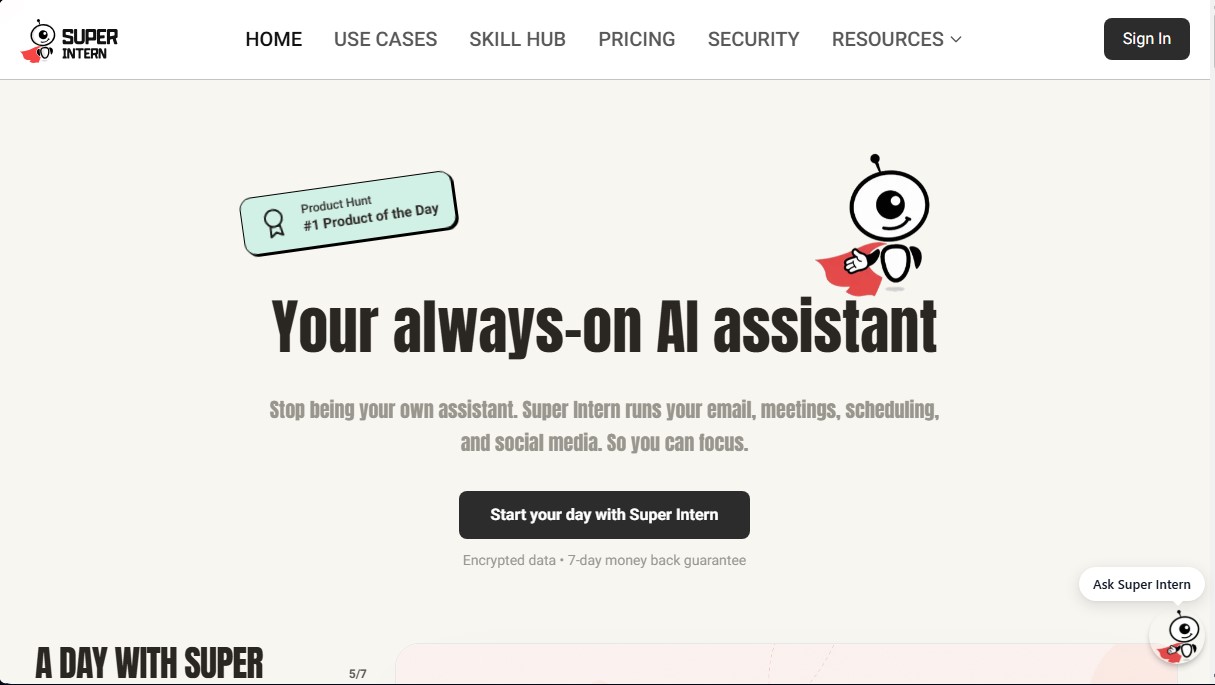
AI assistant managing emails, meetings, schedules, and social media. Automates admin tasks and integrates with your apps to optimize your daily workflow.
General Information about SuperIntern
SuperIntern is an AI assistant designed to act as a digital Chief of Staff that proactively manages administrative tasks. Unlike conventional general-purpose chatbots, this tool does not require constant instructions; instead, it operates in the background to free users from the daily operational burden on their computer or mobile device. Its primary function is to automate complex workflows related to communication, scheduling, and content creation, allowing professionals and teams to focus on their strategic goals.
SuperIntern’s technology is based on specialized AI agents that integrate directly into the applications users already use daily. It utilizes enterprise-grade infrastructure hosted on Google Cloud Platform, ensuring high standards of security and performance. The system employs end-to-end encryption (AES-256 at rest and TLS 1.2+ in transit) and is SOC 2 Type I certified. Its technical approach differs from other models by being specifically optimized for executing recurring administrative tasks through deep integrations and automatic triggers (webhooks).
This platform offers a wide range of functional capabilities focused on AI productivity:
- Email management: Automatic drafting and filtering of important updates to eliminate information noise.
- Meeting optimization: Recording and generating detailed summaries with action items and task tracking.
- Smart scheduling: Coordinating meetings across different time zones and managing calendars.
- Social media presence: Transforming daily milestones into content for platforms like LinkedIn, including image generation.
- No-code automation: Creating custom workflows and connecting with over 1,000 applications through a visual editor.
The SuperIntern ecosystem stands out for its versatility, with Telegram serving as its primary interaction interface, though it is also compatible with Slack, Discord, and WeChat. It integrates natively with professional software tools such as Notion, GitHub, Jira, Figma, and Reddit, facilitating data synchronization across different departments.
Regarding data privacy, the tool follows a strict policy where user information is never sold or used to train third-party models. Users maintain full control over permissions and can revoke access to any connected tool at any time. For those seeking robust and secure AI task automation, this solution allows for the efficient delegation of contact management, reminders, and news, functioning as an always-on AI assistant that understands the specific context of every workflow.
Features and Use Cases of SuperIntern
How SuperIntern Works
Frequently Asked Questions about SuperIntern
What exactly is SuperIntern, and how is it different from a standard chatbot?
SuperIntern is a proactive AI assistant that automatically manages your email, calendar, and social media in the background. Unlike traditional chatbots, it doesn't require constant prompts or instructions to get the job done.
Is it safe to link my work accounts to SuperIntern?
Security is our top priority. We use bank-level encryption and are SOC 2 compliant, ensuring that only you have access to your data and that it is never used to train external models.
Which apps can I currently use SuperIntern with?
You can use it directly within the apps you already rely on, such as Telegram, Slack, Discord, and Gmail. We also offer over 1,000 integrations to help you automate almost any workflow.
How many credits do I receive with a SuperIntern subscription?
All plans include 3,000 monthly credits plus 100 additional free credits every day. This allows you to generate hundreds of emails, social media posts, or meeting summaries.
Do you offer a guarantee if SuperIntern doesn't meet my expectations?
Yes, we offer a full 7-day money-back guarantee. If you find the assistant doesn't fit your professional needs within the first week of purchase, we will issue a full refund.
Can SuperIntern help me manage meetings across different time zones?
Absolutely. The assistant handles schedule coordination and automatically books international meetings, so you don't have to waste time calculating time differences or dealing with endless back-and-forth messages.
How does SuperIntern help keep my social media updated?
The system can turn real moments from your workday into social media content, allowing you to automatically generate up to 150 image-based posts per month.
Can I customize my SuperIntern assistant's skills?
Yes. The tool allows you to create custom workflows and connect external APIs, enabling the assistant to learn specific tasks tailored to your company's or project's unique structure.
SuperIntern Pricing
Free Version
Free.
- 300 free credits upon sign-up.
- 100 free daily credits.
Monthly Plan
30 $ per month.
- 3,000 monthly credits included, plus an additional 100 free daily credits (up to 3,000 extra per month).
- 600 automated email drafts.
- 60 hours of meetings with summaries and follow-ups.
- 150 social media posts with images.
- 150 hosted HTML pages.
- News, reminders, and task management (all included).
- 1,000+ integrations and no-code editor.
- Access to beta features.
- Priority support.
- 7-day money-back guarantee.
3-Month Plan
27 $ per month (billed as a one-time payment of 81 $ every quarter).
- Save 10% off the monthly price.
- 3,000 monthly credits included, plus an additional 100 free daily credits (up to 3,000 extra per month).
- 600 automated email drafts.
- 60 hours of meetings with summaries and follow-ups.
- 150 social media posts with images.
- 150 hosted HTML pages.
- News, reminders, and task management (all included).
- 1,000+ integrations and no-code editor.
- Access to beta features.
- Priority support.
- 7-day money-back guarantee.
Annual Plan
24 $ per month (billed as a one-time payment of 288 $ per year).
- Save 20% off the monthly price.
- 3,000 monthly credits included, plus an additional 100 free daily credits (up to 3,000 extra per month).
- 600 automated email drafts.
- 60 hours of meetings with summaries and follow-ups.
- 150 social media posts with images.
- 150 hosted HTML pages.
- News, reminders, and task management (all included).
- 1,000+ integrations and no-code editor.
- Access to beta features.
- Priority support.
- 7-day money-back guarantee.
SuperIntern Screenshots