Share
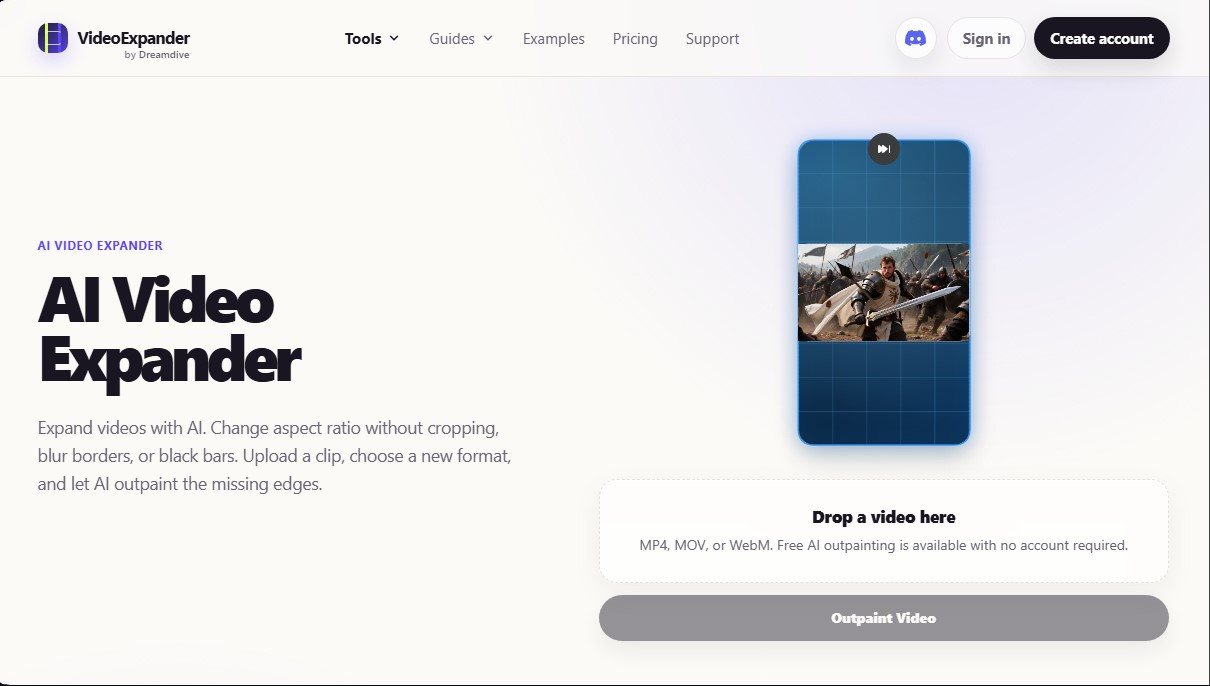
Change your video's aspect ratio without cropping the original image. This AI generates new content around the clip to adapt the framing to any format.
What is VideoExpander.ai?
VideoExpander.ai is a specialized tool for AI video outpainting, designed to expand a clip's canvas without the need to crop the original content. Unlike traditional editing methods that scale the image or add blurred backgrounds, this platform visually generates new areas at the edges, keeping the initial framing intact. Its primary function is AI aspect ratio conversion, allowing content to be adapted for different digital platforms without losing quality or sacrificing the scene's composition.
The operation of VideoExpander.ai is based on deep learning models that analyze the lighting, movement, and environment of the original footage. The AI video expansion process is fully automated: the user uploads a file in MP4, MOV, or WebM format and selects the desired new ratio. Generative AI technology interprets the scene's elements to "paint" outside the video's boundaries—a technique known as uncrop video—creating coherent visual continuity from the first frame to the last.
Key technical capabilities and practical benefits include:
- Resizing without cropping: Allows for the transformation of horizontal formats into vertical (and vice versa) without removing key elements such as faces, products, or captions.
- Elimination of black bars: Replaces empty side or top spaces with generated content that integrates naturally with the background.
- Variety of formats: Offers presets for 16:9 (YouTube), 9:16 (TikTok and Reels), 1:1, and 4:5, optimizing distribution across social media.
- Visual consistency: The algorithm ensures that the new edges maintain consistency with the texture and motion of the original video.
This solution is particularly useful for content creators, editors, and marketing specialists who need to repurpose the same material across multiple channels. It is ideal for converting landscape footage into immersive vertical videos for mobile or for expanding product shots for advertising campaigns. The most professional results are achieved with clips featuring stable shots and natural backgrounds, where the video expansion tool can replicate environments with the highest precision.
In the digital workflow, VideoExpander.ai acts as an efficient post-production tool that saves time by eliminating the need for additional shoots for different formats. By using artificial intelligence to expand videos, the versatility of existing audiovisual material is maximized, allowing a single resource to serve for website headers, ads, and feed posts while always maintaining a clean and professional aesthetic.
VideoExpander.ai features and use cases
How to use VideoExpander.ai
VideoExpander.ai FAQ
What exactly is VideoExpander.ai?
It is an AI-powered tool designed to expand a video's frame by generating new visual content around the original clip without needing to crop it.
Does VideoExpander increase the total length of my clips?
No, the tool's primary function is to expand the video's canvas or frame, but it does not extend its duration.
Can I try VideoExpander.ai for free?
Yes, you can use the free tier to test AI expansion without needing to create an account or install any software.
Which file formats can I upload to the platform?
The tool supports MP4, MOV, and WebM files for the AI-driven edge generation process.
Does VideoExpander allow me to convert a horizontal video into a vertical one?
Yes, you can expand a 16:9 clip to a 9:16 aspect ratio for social media while keeping the original frame perfectly intact and centered.
What kind of videos yield the best results with the AI?
Steady shots with well-defined subjects and natural backgrounds work best for achieving clean, realistic visual expansions.
What are the benefits of VideoExpander Pro compared to the free version?
The Pro version offers higher image quality in generated areas, advanced expansion controls, and optimized workflows for professional users.
Does using this tool reduce the quality of the original video?
No, the system keeps the original video area untouched and generates new visual space around it while maintaining the fidelity of the initial source.
VideoExpander.ai pricing and plans
Free
Price: 0 $
No account creation required to get started.
Available output formats: 16:9, 9:16, 1:1, and 4:5.
Recommended for stable shots and simple backgrounds.
Temporary storage of uploaded files and assets generated during processing.
Pro
Price: 15 $ / month
Higher-quality professional video outpainting.
Access to advanced controls and two-step expansion.
Longer workflows for multiple shots.
Optimized for production clips and client work.
VideoExpander.ai Screenshots
VideoExpander.ai user reviews
Write a review
Checking your session...
VideoExpander.ai Reviews
Loading reviews...
VideoExpander.ai alternatives





Osmo Studio
AI animation studio for professional motion graphics and videos. Control every detail, collaborate with teams, and export with transparent backgrounds.