Share
AI agent platform that autonomously plans and executes development tasks. Edit code, run commands, and use various models directly from the editor.
What is Visual Studio Code Agents?
Visual Studio Code Agents is an open platform designed for managing and executing AI agents autonomously within the development environment. This tool allows developers to delegate complex tasks using natural language, enabling the AI to plan, research, and execute actions until the requested goal is achieved. Unlike traditional code assistants, these agents can edit multiple files, run commands directly in the terminal, and verify their own results iteratively, functioning on both local computers and in the cloud.
The system's operation is based on a workflow where the user defines a goal and the agent develops a strategy for prior review and approval. Visual Studio Code Agents technology natively integrates the Model Context Protocol (MCP), which facilitates direct connections to databases, APIs, and external services without the need to configure additional boilerplate code. It stands out for its high interoperability, allowing users to choose from various language models from leading providers such as OpenAI, Anthropic, or Google, or even use privately hosted models through their own API keys.
The primary capabilities of this tool include:
- Autonomous and parallel execution: It is possible to launch multiple tasks simultaneously across different projects, allowing research or refactoring to progress while you continue working in other areas.
- Cross-platform integration: Agents maintain context and follow the developer across VS Code, the command-line interface (CLI), the browser, and mobile devices.
- Agent customization: The ability to create custom agent profiles with specific instructions, skills, and tools tailored to the technical conventions of each development team.
- Unified session management: Includes a dedicated view to monitor and manage all active agent sessions, allowing you to switch between an agent-centric workflow and one focused on direct code editing.
Visual Studio Code Agents is highly effective for end-to-end feature development, where the AI handles scaffolding, implementation, and verification testing. It is an efficient solution for complex debugging, migrating codebases between different frameworks, and performing accessibility and UX audits by running automated scripts. Additionally, it simplifies technical management tasks such as generating documentation, release notes, and commit summaries, helping transform ideas or prototypes into pull requests ready for professional review.
Visual Studio Code Agents features and use cases
How to use Visual Studio Code Agents
Visual Studio Code Agents FAQ
What exactly are Visual Studio Code Agents?
They are AI agents capable of autonomously planning and executing end-to-end development tasks, from initial research to file editing and terminal command execution.
Can Visual Studio Code Agents work without constant supervision?
Yes, the agents operate autonomously by making code changes and fixing bugs on their own, though they still allow users to review and approve the work strategy before any modifications are made.
Is it possible to use third-party AI models with Visual Studio Code Agents?
Yes, the platform lets you choose from various models from providers like OpenAI, Anthropic, or Google, and even allows you to use your own API keys to connect to externally hosted models.
Does the tool allow for running multiple tasks simultaneously?
Absolutely. The system allows you to start multiple tasks in parallel across different projects, so you don't have to wait for one agent to finish before starting the next assignment.
What are the benefits of native MCP integration in these agents?
Support for the Model Context Protocol allows agents to connect directly to databases, APIs, and external services via servers that are installed and managed within the editor itself, requiring no additional code.
What devices can Visual Studio Code Agents be used on?
The agents are available in the desktop editor, the command line, via the browser, and in the GitHub Copilot mobile app, providing total workflow mobility.
Can custom agents be created for specific workflows?
Yes, you can define your own instructions, tools, and skills to create agents that follow a specific team's conventions and handle repetitive tasks according to set rules.
What are the technical requirements to start using the agents?
No complex setup or additional tools are required; you just need a GitHub account to activate and start using the agents' capabilities within your development environment.
How do Visual Studio Code Agents help with bug fixes?
You simply point to a failing test, and the agent will investigate the root cause, apply the necessary fix to the relevant files, and rerun the tests to confirm the issue is resolved.
Can the agents generate documentation and release notes?
Yes, the agents can summarize changes made across multiple repositories to automatically generate API documentation, changelogs, release notes, or even social media posts.
Visual Studio Code Agents pricing and plans
Visual Studio Code (Base Platform)
Price: Free.
Access to the open platform for AI agents.
Use local agents and integrated chat sessions within the editor.
Full editing features: IntelliSense, refactoring, and debugging.
Native support for Model Context Protocol (MCP) to connect agents with databases and APIs.
Manage multiple agent sessions in parallel.
GitHub Copilot Agents
Price: Refer to the official website for GitHub Copilot subscription rates.
Run Copilot agents locally with full access to the codebase.
Offload tasks to the cloud for asynchronous background work.
Ability to autonomously perform research, edits, and command execution.
Automatic pull request creation upon task completion.
Third-Party and Custom Agents
Price: Requires your own API keys (Bring Your Own API Key); check pricing with external providers.
Integration of models from Anthropic, OpenAI, Google, and other providers.
Configure custom agents with specific instructions and tools based on team conventions.
Run external agents locally or in the cloud while maintaining the VS Code workflow.
Access ready-to-use agents through the marketplace.
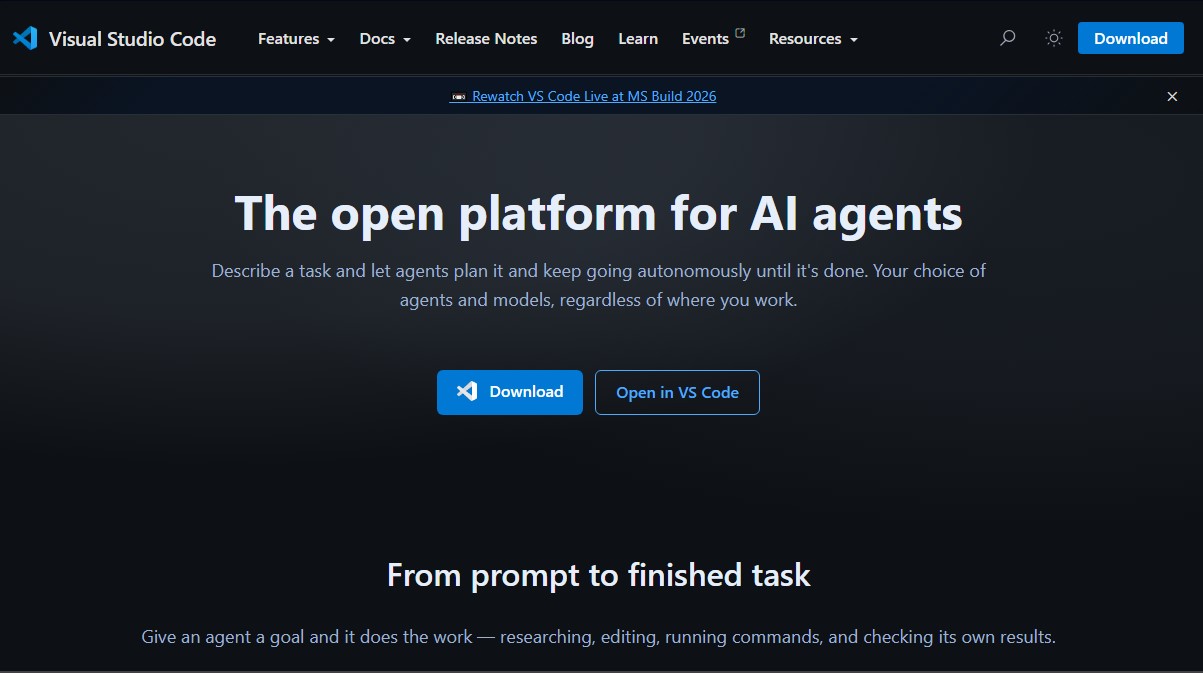
Visual Studio Code Agents Screenshots
Visual Studio Code Agents user reviews
Write a review
Checking your session...
Visual Studio Code Agents Reviews
Loading reviews...
Visual Studio Code Agents alternatives

Together Link
Connect coding agents to open models to cut costs. Keep your existing tools and settings while optimizing token usage in every session.


Optimus by Iacon Autonomics
Autonomous researcher designing experiments and evaluating algorithms to train AI models. Automates improvement cycles for LLMs, robotics, and various complex systems.


Nuclr Commander
Workspace for running multiple AI agents in parallel with a file manager. Supports local or external models and remote mobile monitoring.