Share
AI agent that connects to your tools to autonomously automate reporting, prospecting, and tech support via Slack or the browser.
What is Okou?
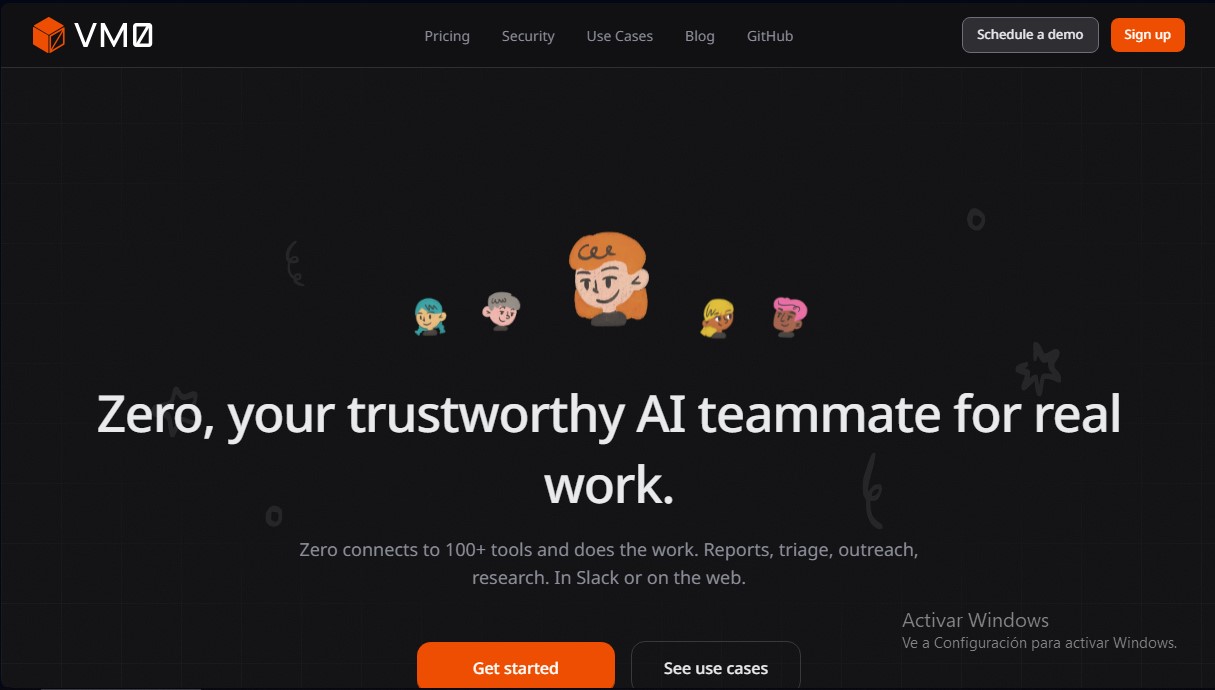
Okou (formerly VM0-Zero) is an artificial intelligence agent designed to act as an autonomous teammate within corporate environments. Unlike conventional assistants, this tool integrates directly into the workflow to execute complex operational tasks rather than simply answering queries. Its primary function is to connect with more than 100 professional applications—such as Slack, GitHub, Notion, Gmail, and Linear—to proactively manage reports, bug triage, and prospecting efforts.
Okou’s technology is built on tool orchestration and advanced natural language processing. The system utilizes a context memory approach, allowing it to remember past decisions, project details, and user preferences across different sessions without the need for repeated instructions. Each task is executed in an isolated microVM (virtual machine), ensuring that credentials and processes are maintained in a secure, self-contained environment. Additionally, the software is capable of resolving user identity across different platforms, automatically recognizing who is requesting an action from a computer or mobile device.
Among its most notable functional capabilities are:
- Automation of recurring tasks: Generating daily business summaries and weekly status reports by extracting data from calendars and task managers.
- Intelligent bug triage: Classifying technical failures in Sentry, analyzing real impact, and expanding code traces to identify the root cause.
- Research and prospecting: Scraping profiles on X and the open web to populate databases with interaction signals and biographical data.
- Specialized sub-agents: Creating specific agents that work in parallel for support, engineering, or marketing tasks.
- Scheduled execution: The ability to autonomously perform technical debt scans or client follow-ups without human intervention.
This enterprise AI agent is particularly useful for founders, operations teams, and developers looking to reduce administrative workloads. By functioning via both the web and Slack mentions, it allows the entire team to collaborate with the AI naturally. Its ability to make context-based value judgments differentiates it from rigid automation tools, allowing Zero to decide which tools to chain together to reach an objective.
Security is a fundamental pillar of its architecture. Administrators can define granular read and write permissions for each tool. As an auditable and open-source solution, it offers transparency in handling sensitive data, ensuring that corporate information remains under control while the AI teammate executes its assigned processes.
Okou features and use cases
How to use Okou
Okou FAQ
What exactly is Okou and how can it help my team?
It’s an AI teammate that handles real-world tasks by connecting to the tools you already use every day.
On what platforms can I use Okou?
You can use the tool on Slack or through its web interface to manage all of your workflows.
How many applications does Okou integrate with?
The platform connects with over a hundred professional software tools, including GitHub, Gmail, Notion, Linear, and Sentry, among others.
Is my sensitive data safe with Okou?
Yes. Security is our top priority; every task runs in an isolated microVM, and your credentials never leave that secure, auditable environment.
Does Okou offer a free version for new users?
We offer a free plan with 100,000 starting credits so you can test the tool without having to provide any payment information.
What is the difference between Okou and other tools like Zapier?
Unlike Zapier, which follows rigid "if this, then that" rules, this AI understands context and makes intelligent decisions to achieve your goals.
Can Okou perform scheduled or autonomous tasks?
Yes. You can set up recurring tasks—such as morning summaries, bug reports, or lead follow-ups—to run automatically without any manual intervention.
How does Okou manage access permissions for my tools?
You decide exactly what the tool can read or write in each connected app, giving you granular control over your data privacy.
What happens if I run out of credits in my Okou account?
You can top up your credits at any time or set up auto-recharge to ensure your agents never stop running.
Okou pricing and plans
Reference price: 20 USD / month. Source · Verified: October 19, 2026
Free: $0
- 1,000 credits valid for 30 days.
- Build your first agent and connect your tools.
- Connect your Claude or Codex subscription.
- All connectors and community support.
Pro: from $20/month
- $0 plan plus one member package per seat, $20 to $200 a month.
- More credits and concurrency.
- Email support.
Team: from $180/month
- $160 plan plus member packages.
- Room for several AI employees and higher concurrency.
Top-ups on paid plans: 1,000 credits per $1, with optional auto-recharge. Custom Enterprise plans.
Okou Screenshots
Okou user reviews
Write a review
Checking your session...
Okou Reviews
Loading reviews...
Okou alternatives




rabbit OS3
Agentic OS that automates tasks and manages files, connecting your computers with AI models to run workflows using natural language.