Zinkforge
Share
Zinkforge
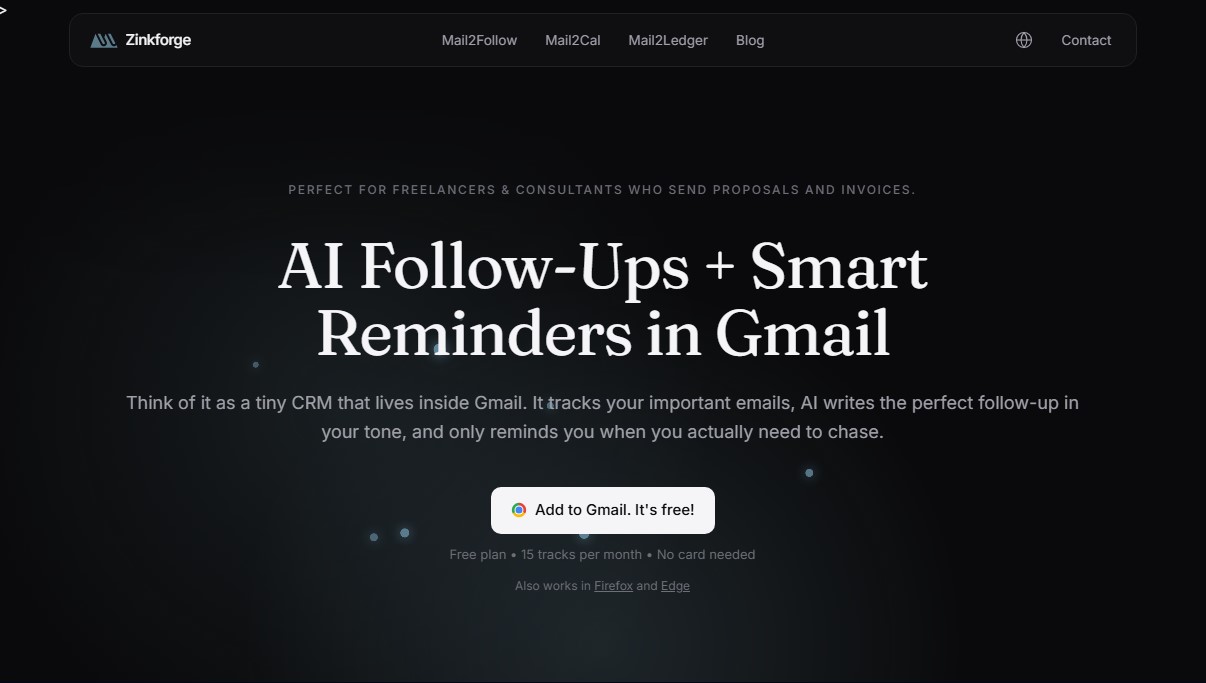
Mini CRM for Gmail that tracks emails and uses AI to draft proposal or invoice follow-ups. Get open alerts and auto-drafts if you don't receive a response.
General Information about Zinkforge
Mail2Follow, developed by the studio Zinkforge, is a minimalist Customer Relationship Management (CRM) solution designed to work entirely within the Gmail interface. This AI tool is specifically geared toward freelancers, consultants, and professionals managing a steady stream of business proposals and invoices. Its primary function is to prevent business opportunities from getting lost in the inbox through a smart email tracking system and strategic reminders that trigger only when necessary.
The application's operation is straightforward and integrates as an extension for browsers such as Chrome, Firefox, and Edge. When sending an important email from a desktop, the user can activate tracking with a single click. From that point on, Mail2Follow’s AI monitors the conversation thread. If the recipient does not respond within the expected timeframe, the tool automatically generates a follow-up draft (nudge) while maintaining the sender's original tone and language. This follow-up automation approach saves time and ensures that no task is forgotten without the need to manually enter data into an external platform.
From a technological standpoint, the tool utilizes advanced natural language processing models to classify the type of email, distinguishing between proposals, invoices, or delegated tasks. Unlike conventional CRMs that copy an entire contact database, this AI-powered Gmail extension prioritizes privacy. It only accesses the threads that the user chooses to track and processes content ephemerally to generate drafts. Data is encrypted and GDPR compliant, ensuring that information is not used to train external AI models.
Key capabilities and practical benefits:
- AI-Assisted Drafting: Generates contextual follow-up drafts that users can quickly review and send, eliminating creative block.
- Real-Time Read Alerts: Lets you know when and how many times an email has been opened so you can follow up at the moment of peak interest.
- Reply Detection: The system automatically stops follow-ups as soon as it detects a response, avoiding redundant reminders.
- Smart Classification: Analyzes message intent to suggest the most appropriate wait times based on the type of communication.
- Full Compatibility: Works with both personal Gmail accounts and professional Google Workspace environments.
This sales follow-up tool positions itself as a middle ground between basic open trackers and complex CRM systems. Its utility lies in providing email with an active memory, optimizing the workflow for those who send quotes or invoices and need to ensure a response without leaving their usual inbox. It is a practical solution for turning email into a lightweight and efficient CRM.
Features and Use Cases of Zinkforge
How Zinkforge Works
Frequently Asked Questions about Zinkforge
What exactly is Mail2Follow, and how can it help me with my daily tasks?
It’s a mini CRM that integrates directly into Gmail to track important emails and generate automatic follow-up drafts using artificial intelligence.
Is Zinkforge safe to use, and does the tool have access to my entire inbox?
The tool is secure and only accesses the specific email threads you choose to track. It never stores the body of your messages on its servers.
What languages can Mail2Follow use to write follow-up drafts?
The AI detects the language of the original thread and writes the follow-up in that same language. It supports Spanish, Catalan, English, French, and many other languages.
What sets Mail2Follow apart from other tools like Mailtrack or Boomerang?
Unlike other trackers, this tool doesn’t just notify you when an email has been read; it also categorizes the content and drafts the reminder for you using your own personal tone.
Is there a free version of Mail2Follow available to try the service?
Yes, there is a "free forever" plan that allows you to track up to fifteen emails per month, with all AI features and reply detection included.
Can I use Zinkforge with my professional Google Workspace account?
The tool is fully compatible with both personal Gmail accounts and professional Google Workspace accounts, and it offers multi-account support in the Pro version.
What happens to my data if I decide to uninstall the Mail2Follow extension?
Your Gmail messages will remain untouched, and you can request the complete deletion of your user data directly through the app menu or via email.
How does Mail2Follow notify me when someone opens one of my tracked emails?
The advanced version of the tool sends real-time notifications that show exactly when and how many times your message was read, so you can take action at the perfect time.
Zinkforge Pricing
Free Plan
0 € per month
15 tracked emails per month.
AI categorization and follow-up draft generation.
Reply detection and notifications.
Support for a single Gmail account.
Pro Plan
6,99 € per month (or 59 € per year)
Unlimited email tracking.
Support for multiple Gmail accounts.
Detailed analytics and response rates per contact.
Real-time open tracking (read receipts).
Whitelabeling (remove "Powered by" branding).
Priority support.
Includes a 14-day free trial and money-back guarantee.
Zinkforge Screenshots